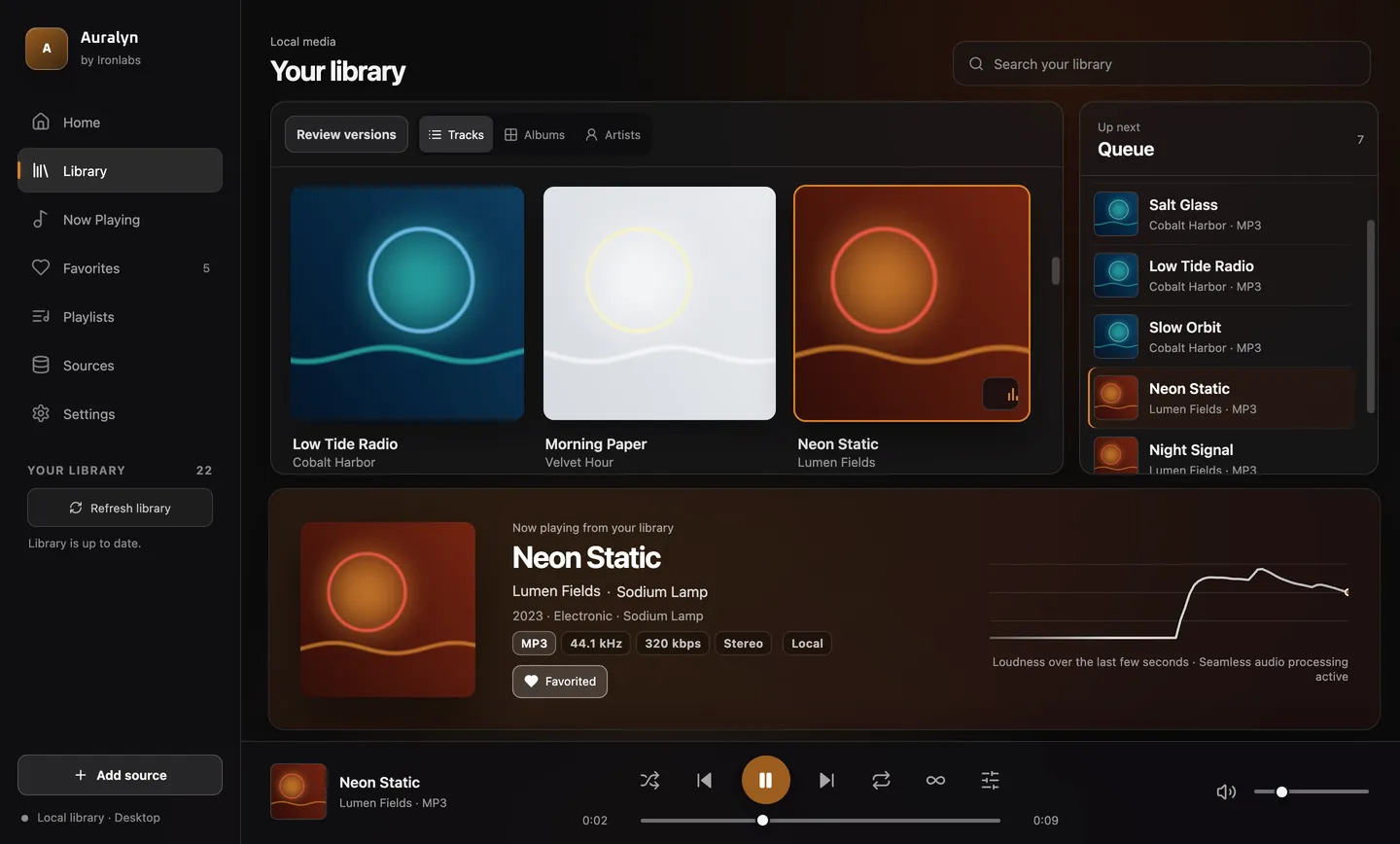
One library from your files and folders
Tags, covers, search, albums and artists, built from the folders you add.
Up to 100,000 songs and videos. The library rescans at launch or when you press Refresh; it does not watch folders. WMA and AVI files are not indexed yet.
Duplicate cleanup that never deletes files
One entry per song, with a choice of which copy plays.
Only byte-identical copies are merged automatically.
Fix tags and artwork without touching your files
Correct titles, artists and covers, and import or export M3U and M3U8 playlists.
Edits live in Auralyn only. Exported playlists list local file paths.
Queue, shuffle, repeat and resume
Smart playlists, a mini player and a sleep timer.
A track that cannot play is skipped with a notice. Some smart playlists need listening history first.
Gapless albums, crossfade, leveling and EQ
Gapless album playback, crossfade from 0 to 12 seconds, volume leveling and a 10-band equalizer.
Gapless, crossfade and leveling apply only to local audio files up to 64 MiB. Gapless needs numbered tracks from the same album with shuffle off, and is not proven for every MP3 or AAC encoder. Leveling sets one fixed gain per track (it is not ReplayGain). The EQ affects Auralyn only.
Mixes and radio from your own library
Home mixes, song and artist radio, Autoplay similar songs, “Shape this session”, and more-like-this or less-like-this feedback.
Built from your own library on your Mac. Works without a network request or an AI model.
Listening history stays on your Mac
History drives your mixes and smart playlists.
On by default; you can pause or reset it. Plays are sent to your own Navidrome or Subsonic server only if you turn on scrobbling.
Synced lyrics and local artist pages
Time-synced lyrics from your own LRC files, plus artist and album pages built from your library.
Lyrics files you provide come first. When a song has none, Auralyn can find its lyrics online through LRCLIB; you can turn that off in Settings → Privacy. Online artist biographies and photos are optional and stay off until you turn them on.
Works with macOS media controls
Control Center, Now Playing and the Play/Pause key on your keyboard.
Checked so far on one Mac running macOS 27.
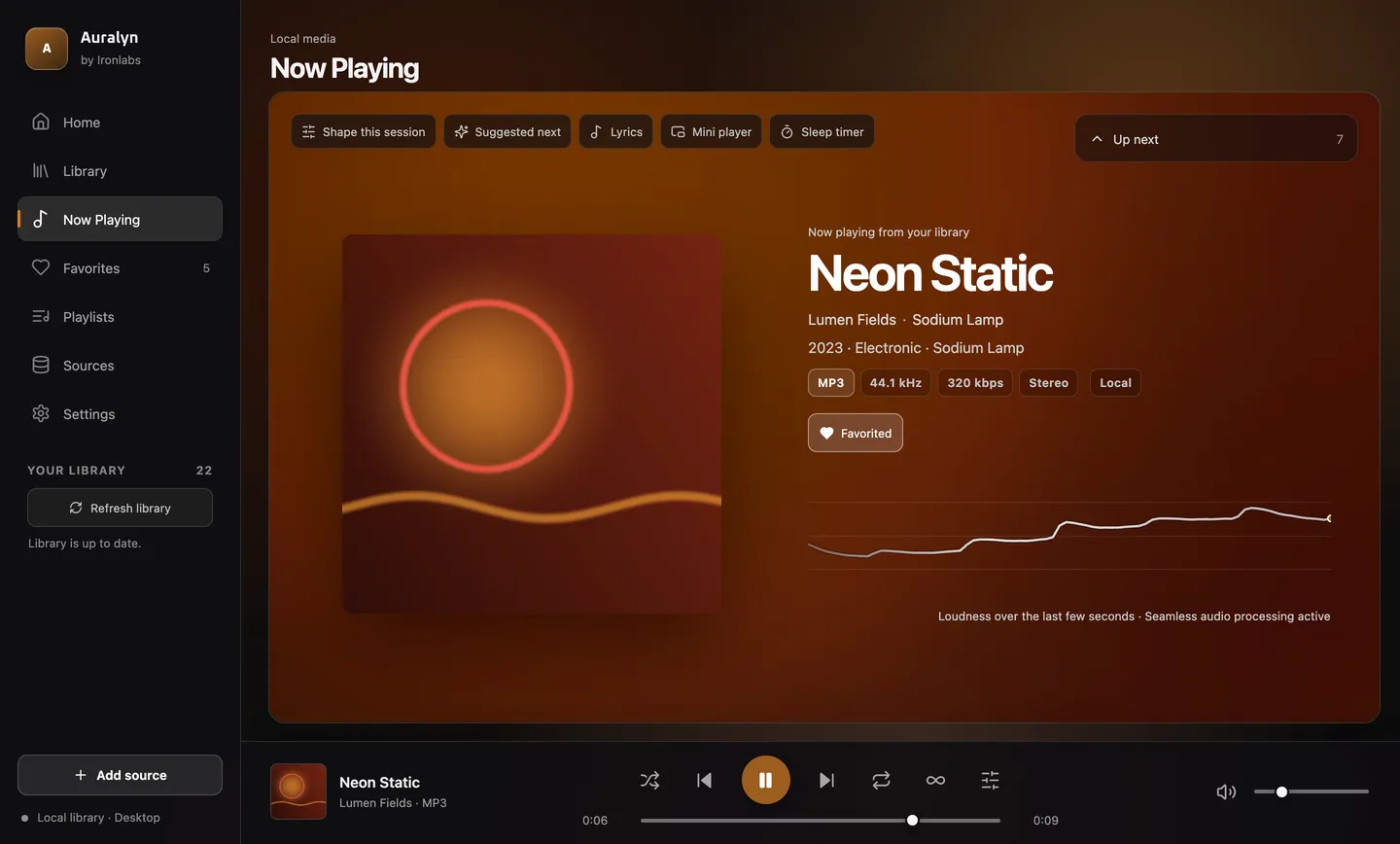
Colours from the cover and a live loudness line
The background follows the album art, a graph traces loudness as the song plays, and a reduced-motion setting stops the movement.
The graph shows loudness, not a frequency spectrum.
Your own media servers
Navidrome, Gonic, Jellyfin, Emby, WebDAV, and SMB network folders you have already mounted in macOS.
Each was tested against one version of that server with test music. Offline copies have been proven with test servers only.
Your music stays on your Mac
Your media files are never uploaded.
Some online features: licence checks and updates, and optional lyrics and artist info.